Will a Smart Garage Controller Work With Your Opener? Meross, Tailwind, and myQ Compared
· HomeTechPulse
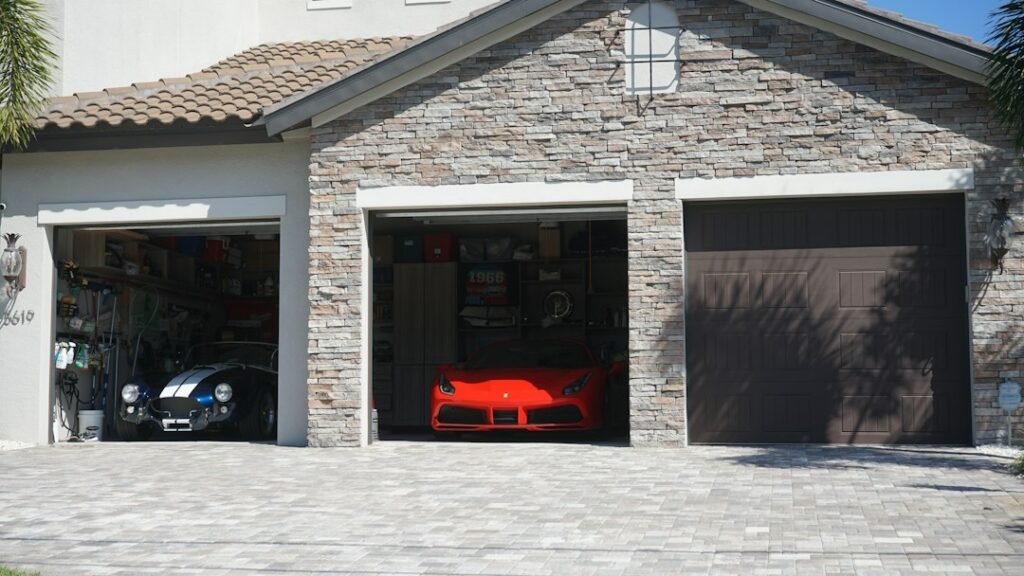
Direct answer: a smart garage controller will work only if its control method matches your existing opener. Brand name and manufacture year are useful clues, but they are not enough. Check the exact opener model, the wall-control wiring or Learn-button color, the door type, safety sensors, Wi-Fi coverage, and whether the controller needs a separate door-position sensor or adapter.
This documentation-based comparison examines three retrofit paths: the Meross MSG100, Tailwind iQ3 2.0, and Chamberlain myQ Smart Garage Control MYQ-G0401. HomeTechPulse did not install or bench-test these products. Manufacturer pages and support documents were checked on November 2, 2026; compatibility lists, app integrations, regional availability, and service terms can change.
Safety before smart control
A retrofit controller does not repair a damaged door, worn spring, failing opener, misaligned photoelectric sensor, or unsafe installation. Do not bypass safety sensors or defeat the opener’s entrapment protection. If the door does not move smoothly with its normal wall control and manual release, or if wiring terminals are unclear, stop and use the opener manufacturer’s instructions or a qualified garage-door technician. Never stand or place objects in the door’s travel path while testing.
Five roles in a smart garage system
| Role | Job | Compatibility question |
|---|---|---|
| Door and opener | Motor, rail, wall control, remotes, and required safety hardware | Is the door sectional, and does the opener use simple dry contact or a digital/encrypted control? |
| Smart controller | Translates an app command into an opener command | Does it connect by dry-contact wires, digital control, or radio pairing? |
| Door-position sensor | Reports whether the door is open or closed | Is it wired, wireless, or unnecessary for the selected control path? |
| Wi-Fi and cloud | Carries remote commands, status, alerts, and histories | Is reliable 2.4 GHz Wi-Fi available in the garage, and what stops when internet service fails? |
| Automation platform | Adds voice assistants, routines, dashboards, or arrival automation | Is support native, dependent on a bridge/home hub, or limited to selected models? |
Meross, Tailwind, and myQ: the connection paths
| Controller | Control path | Door-status path | Network path | Main exclusion or extra requirement |
|---|---|---|---|---|
| Meross MSG100 | Controller relay → compatible wall-control terminals; some digital/encrypted openers require a Meross accessory | Included wired magnetic sensor | 2.4 GHz Wi-Fi → Meross app/cloud; selected MSG100 versions support Apple HomeKit and other listed platforms | Exact opener must pass Meross’s compatibility check; accessory eligibility and cost depend on model, region, order, and warranty |
| Tailwind iQ3 2.0 | Digital two-wire control for supported modern openers, or dry-contact control with the correct kit | Some digital paths need no separate sensor; dry-contact paths use the selected door-sensor kit | Controller → network/app; Tailwind also documents integrations and a local-control API | Does not support Chamberlain/LiftMaster Security+ 3.0 openers with a white Learn button; iPhone arrival automation needs an optional vehicle sensor |
| Chamberlain myQ Smart Garage Control MYQ-G0401 | Hub pairs to a compatible opener by the opener’s radio/programming path | Separate wireless door sensor → myQ hub | Hub → 2.4 GHz Wi-Fi → myQ app/cloud | Requires a sectional door and working safety sensors; dip-switch openers are monitor-only, and listed incompatible frequencies need another supported path |
Path 1: Meross MSG100—relay control plus a wired magnetic sensor
The MSG100 behaves like a smart momentary wall button when the opener accepts the supported terminal connection. Meross supplies a wired door sensor so the controller can distinguish open from closed rather than guessing from the last command. Its official product page lists 2.4 GHz IEEE 802.11 b/g/n Wi-Fi, a required existing Wi-Fi network, app alerts, and a package containing the controller, power supply, door sensor, and test wire.
Do not assume that every wall-button terminal is a simple relay input. Meross’s compatibility checker uses the exact manufacturer/model or, for Chamberlain-family openers, Learn-button information. It may specify an extra accessory. Meross says that accessory support is limited by opener family and region, and an out-of-warranty accessory may need to be purchased. The current Meross store page advertises remote control and notifications with no monthly subscription fee, but buyers should still verify current regional terms before ordering.
Worked example: suppose an opener appears on the Meross list as directly compatible. The documented path is opener terminals → MSG100 relay, magnetic sensor → MSG100, and MSG100 → 2.4 GHz Wi-Fi → app. Expected result: the existing wall control and remotes continue to work, while the app adds status and remote operation. If setup reaches the app but the door never moves, stop repeating commands; recheck the exact compatibility result and accessory requirement. If the door moves but status is wrong, investigate sensor alignment and wiring instead of the relay path.
Path 2: Tailwind iQ3 2.0—choose digital control or a sensor kit
Tailwind separates compatibility by control type. The iQ3 2.0 product page says supported digital-control openers can use a two-connection path and may not need a separate door sensor. A dry-contact opener uses the appropriate kit and door sensor. Tailwind’s control-type guide explains that a conventional dry-contact opener responds to a momentary connection at the wall-control terminals, while digital systems require the supported digital path.
The important exclusion is explicit: the iQ3 2.0 does not support Chamberlain or LiftMaster Security+ 3.0 openers with a white Learn button. Tailwind directs buyers to its SmartFit Guide for the correct kit. It also lists Apple HomeKit, Google Home, Alexa, SmartThings, Home Assistant and other integrations, plus a local-control API. Those claims describe available integration paths, not proof that every feature works identically across every platform or region.
Arrival automation has another requirement. Tailwind says an iPhone user who wants automatic open/close on approach needs its optional vehicle sensor; Android users with a phone paired to the vehicle do not. That accessory cost belongs in the buying decision. A safer default is to treat auto-close as a backup reminder feature, inspect the opening, and close the door deliberately.
Path 3: myQ Smart Garage Control—radio pairing plus a wireless door sensor
Chamberlain’s MYQ-G0401 follows a different architecture. The white hub joins the home’s 2.4 GHz Wi-Fi, pairs to the opener, and receives door position from a separate wireless sensor. Chamberlain’s current setup guide calls for the myQ app, 2.4 GHz Wi-Fi, the hub within 50 feet of the router, door-sensor pairing, and then opener pairing.
Compatibility is not simply “1993 or newer.” The official compatibility page says the door must be sectional and have safety sensors. It lists supported Learn-button colors and third-party opener families. Dip-switch openers can be configured only for monitor mode, so the app may report position but cannot activate the opener. Chamberlain also identifies incompatible 433 MHz blue-Learn-button units that require a supported control-panel path.
Worked example: a sectional door with functioning photoelectric safety sensors and a listed post-1993 opener can use opener radio pairing → myQ hub, wireless door sensor → myQ hub, and hub → 2.4 GHz Wi-Fi → myQ app. Expected result: the app reports position and commands the opener. If setup lands in monitor mode, do not assume a software reset will add control; compare the exact opener frequency and Learn-button path against Chamberlain’s exclusions.
A compatibility check you can complete before buying
- Record the opener identity. Photograph the manufacturer label, exact model, manufacture date, Learn/program button and terminal area without touching wiring.
- Confirm the door and safety layer. Identify whether the door is sectional, verify the existing wall control and remotes work, and resolve any safety-sensor fault before adding automation.
- Use the selected manufacturer’s current compatibility tool. Do not substitute a retailer’s “works with most openers” summary for the exact model result.
- Write down the control method. The answer should say direct dry contact, supported digital control, radio pairing, monitor-only, or a named accessory—not merely “compatible.”
- Choose the correct position sensor. Confirm wired magnetic, wireless tilt/position, integrated digital reporting, and the sensor mounting location.
- Test 2.4 GHz coverage at the hub location. A strong signal at the house door does not prove reliable coverage at a ceiling outlet or garage wall.
- List every extra. Include adapter, second-door kit, vehicle sensor, home hub, professional installation, subscription, replacement sensor and regional shipping.
Completed diagnostic example: app says closed, but the door is open
This hypothetical fault starts with status, not motor control. The homeowner can still move the door from the wall button, and the app command may also move it, but the displayed position is wrong.
| Check | Expected outcome | If it fails |
|---|---|---|
| Operate the normal wall control while the doorway is clear | Door travels normally and safety reversal works as documented by the opener maker | Stop smart-controller diagnosis; service the door/opener first |
| Inspect the controller’s position sensor | Meross magnetic parts align at closed; Tailwind’s selected sensor reports correctly; myQ wireless sensor is paired and mounted as instructed | Correct mounting, alignment, cable, battery or pairing before changing Wi-Fi settings |
| Refresh the controller app near the garage | Local sensor state changes promptly when the door moves | Follow that manufacturer’s sensor troubleshooting path |
| Check hub power and 2.4 GHz connection | Controller is online after the sensor state is known | Repair power/network separately; repeated open/close commands do not fix a bad sensor |
| Compare app state with the physical door | Both agree before enabling reminders or routines | Keep automations disabled until the status path is reliable |
What happens when Wi-Fi or internet service fails?
The existing wall control and compatible handheld remotes should remain the primary local control because they belong to the original opener system. The add-on app path depends on controller power, garage Wi-Fi, the internet and the vendor service unless a specific local integration is documented. A controller that is offline cannot be assumed to deliver current status, remote commands, histories or alerts.
Before relying on a routine, run a planned outage test while the doorway is clear: verify the normal wall control first, disconnect only the network path, confirm the app reports the device offline rather than showing a misleading stale state, restore service, and confirm current door position. Use our smart-home power outage plan to record recovery order and backup-power limits.
Buying worksheet
| Question | Your verified answer |
|---|---|
| Opener brand, exact model and manufacture year | ____________________ |
| Learn/program button color and radio/frequency notes | ____________________ |
| Sectional door and working safety sensors? | ____________________ |
| Control type: dry contact, digital, radio pair or monitor-only | ____________________ |
| Required controller model/version | ____________________ |
| Required door-position sensor and mounting method | ____________________ |
| Adapter, vehicle sensor, second-door kit or bridge | ____________________ |
| 2.4 GHz signal at the installation point | ____________________ |
| App/platform features actually required | ____________________ |
| Subscription, accessory, installation and replacement costs | ____________________ |
| Manufacturer compatibility result and checked date | ____________________ |
Which path fits which problem?
- Choose the Meross path when the exact opener passes its checker and you want a relay-style retrofit with a wired magnetic sensor. Confirm whether an accessory is required.
- Choose the Tailwind path when its SmartFit result supports your digital or dry-contact opener and you value its documented integration choices. Budget for the correct sensor kit and any vehicle sensor.
- Choose the myQ path when the exact opener, Learn-button/frequency and sectional-door requirements are on Chamberlain’s supported list and the hub-plus-wireless-sensor architecture suits the garage.
If the opener is excluded, do not force the installation. A supported controller, manufacturer-specific panel, professional retrofit, or replacement opener may be the safer next decision. For network changes after installation, follow the smart-home router replacement checklist. If you are deciding how much cloud dependence is acceptable, compare the paths in local versus cloud smart-home control.
Source note: This article compares manufacturer-documented architecture and compatibility. It is not a hands-on review, installation certification, or substitute for the opener manual or a qualified garage-door technician. Documentation checked November 2, 2026.
Leave a Reply