Why Smart Lights Turn Off While You’re Still There: Aqara FP2, Eve Motion, and Hue Compared
· HomeTechPulse

Direct answer: smart lights usually turn off while you are still in the room because a motion automation has reached its “no new motion” timeout. A motion sensor is excellent for a hallway, but it does not provide the same room-occupancy signal as a presence sensor. For a sofa, desk, or bed, either use a presence sensor such as Aqara FP2 or design a much more forgiving off-delay and manual override.
This documentation-based comparison was checked on October 28, 2026. It compares Aqara Presence Sensor FP2, the current Matter-enabled Eve Motion, and the Philips Hue indoor Motion sensor. It is not a hands-on review, and the worked configurations below are researched examples rather than measurements from a HomeTechPulse installation.
The problem is the “keep on” signal, not the “turn on” signal
Walking into a room is easy to detect. The harder question is what should keep the lights on after you sit down. A motion-based rule commonly works like this:
- Motion detected → turn the light on.
- Start or refresh an inactivity timer.
- No new motion before the timer expires → turn the light off.
If you are reading, watching television, or working at a desk, there may be too little movement to refresh that timer. The sensor may be functioning exactly as designed. A presence sensor instead exposes occupied/empty state and can hold the light while a person remains within a defined area.
| Role | Job in the system | Common mistake |
|---|---|---|
| Sensor end device | Reports motion, light level, or presence | Assuming it controls the lamp by itself |
| Bridge | Connects a protocol such as Zigbee to the lighting platform | Buying a Hue sensor without a Hue Bridge |
| Thread Border Router | Connects the Thread mesh to the home IP network | Calling every Thread hub a Matter controller |
| Matter controller | Commissions the Matter device and runs platform automations | Owning a border router but no compatible controller |
| Light or relay | Performs the on/off action | Ignoring whether the chosen controller can operate it |
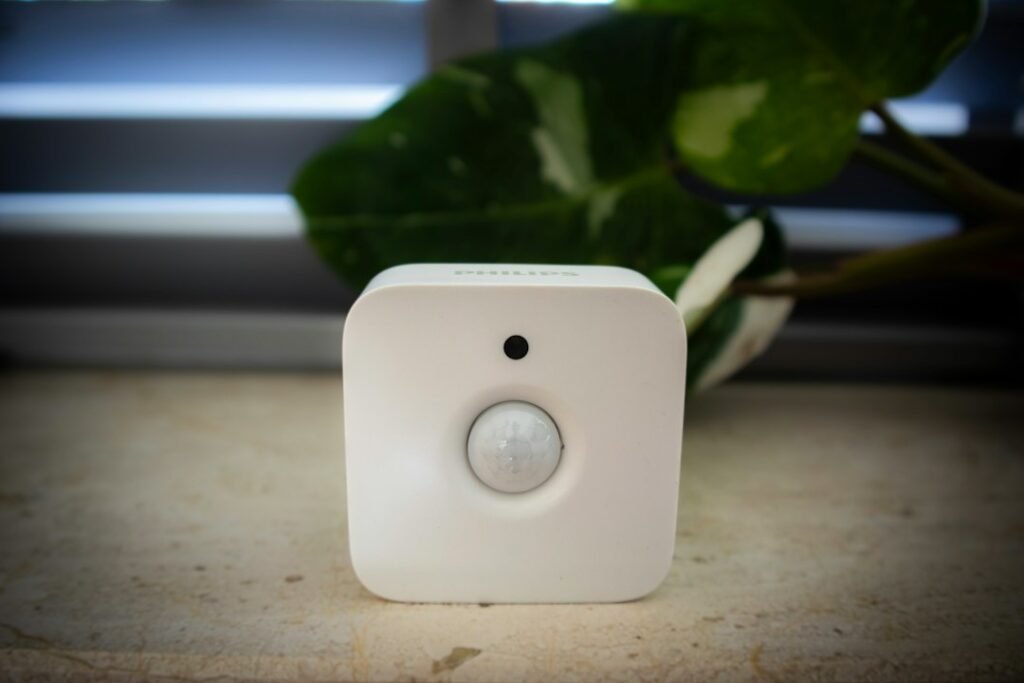
Aqara FP2 vs Eve Motion vs Hue Motion: connection paths
| Model | What it reports | Actual connection path | Power | Best fit |
|---|---|---|---|---|
| Aqara Presence Sensor FP2 PS-S02D / PS-S02E | Presence/absence, zones, entry/exit events, illuminance | FP2 → 2.4 GHz Wi-Fi → Aqara Home or supported platform. No Aqara hub is required for basic integration; a supported Aqara hub is required for Aqara’s documented local-automation path. | Continuous 5V/1A USB-C | Desk, sofa, bed, or one room divided into zones |
| Eve Motion current Matter model | Motion and light level | Eve Motion → Thread mesh → Thread Border Router → Matter controller → automation/light | 2 × replaceable AAA | Hallway, stairs, porch, utility area, or cross-platform Matter setup |
| Philips Hue indoor Motion sensor UPC 046677570972 | Motion and ambient light information for Hue rules | Hue Motion → Zigbee → Hue Bridge → Hue app/Hue lights | 2 × AAA | Existing Hue lighting system that needs fast, simple motion control |
Aqara FP2: presence and zones, but installation matters
Aqara’s official FP2 specifications list 2.4 GHz Wi-Fi, Bluetooth 4.2, 60–64 GHz radar, USB-C, and 5V/1A input power. Aqara’s product page documents up to 30 zones and up to five detected people, while recommending no more than three for best results. It also says no Aqara hub is required to integrate the sensor.
That “no hub required” statement needs context. Aqara’s FP2 support page says a supported Aqara hub running version 3.5.0 or later is required for its Wi-Fi local-automation feature. Apple Home users also need an Apple home hub for the documented local-control path. In other words, FP2 can join over Wi-Fi without an Aqara hub, but the controller required for the automation depends on the platform and whether local operation matters.
The same support page warns that glass, mirrors, metal, water, air conditioners, fans, and moving curtains can create interference. Define edge and interference areas, mount at the documented height and angle, and verify that “absence” clears after you leave. More sensitivity is not automatically better.
Eve Motion: Matter over Thread, not presence sensing
Eve’s official Eve Motion support page lists Thread, two replaceable AAA batteries, a 120-degree field of view, up to 9 m / 30 ft range at a 2 m mounting height, IPX3 protection, and a compatible hub that provides both Matter Controller and Thread Border Router functions. Eve identifies the battery-powered sensor as a Minimal Thread Device: it is an endpoint, not a Thread router for other devices.
This is a strong path when the goal is to detect someone crossing a doorway or moving through a space and the home already has the correct Matter/Thread hub. It is not an FP2-style multi-zone presence sensor. Your platform’s automation timer still determines how long the light remains on after the last motion event.
Philips Hue Motion: the shortest path inside a Hue system
Philips Hue’s official indoor Motion sensor page says the Hue Bridge is required. It lists Zigbee/Bluetooth communication, two AAA batteries, IP42 protection, and support for time-of-day light behavior. For the intended Hue setup, the path is straightforward: sensor → Zigbee → Bridge → Hue lights.
The Bridge path is a purchase requirement, not an optional label. The advantage is that a hallway rule can remain inside the Hue lighting system and does not require the sensor itself to join Wi-Fi. The limitation is the same basic motion-versus-presence distinction: a still occupant may not generate another motion event before the off timer expires.
Three worked configurations
1. Hallway: motion turns on, short vacancy delay turns off
- Goal: light a route for someone walking through.
- Suitable path: Hue Motion + Hue Bridge + Hue lights, or Eve Motion + compatible Matter/Thread hub + supported light.
- Example logic: motion after dark → light on; no new motion for two minutes → light off.
- Expected outcome: quick entry response without requiring stationary occupancy detection.
- If it fails: check whether the sensor event reached the Bridge/controller before changing the timer. No event suggests range, battery, or pairing; an event with no light action suggests the rule or target light.
2. Reading chair: presence holds the light
- Goal: keep a lamp on while a person sits mostly still.
- Suitable path: Aqara FP2 with a “reading chair” zone + the controller that operates the lamp.
- Example logic: chair-zone presence → lamp on; chair-zone absence for two minutes → lamp off.
- Expected outcome: small body movement is no longer the only signal that keeps the lamp on.
- If it fails: view the FP2 zone state first. If the zone clears while occupied, adjust mounting, boundaries, and interference areas. If presence remains true but the lamp turns off, the error is in the automation or light path.
3. Mixed living room: motion starts, presence holds, manual control wins
- Goal: fast entry lighting without turning lights off during a movie.
- Build: doorway motion event turns on a scene; FP2 room presence holds it; a physical button or wall control can suspend automatic-off behavior.
- Expected outcome: motion provides a fast “on,” presence provides a reliable “stay on,” and occupants retain control.
- If it fails: log each input separately. Do not combine the sensors into one complicated rule until both report correctly on their own.
Exact Aqara FP2 setup sequence for a sofa zone
Aqara’s current support instructions use this path:
- In Aqara Home, open Home → + → Add accessory.
- Search for Presence Sensor FP2 and follow the pairing instructions.
- Build the room map and define a sofa zone; mark interference or edge areas where needed.
- Open Automation → Add Automation.
- Under When, choose FP2 → Area Detection and select the sofa-zone presence/entry condition.
- Under Then, choose the supported light or scene and turn it on.
- Create a separate absence rule with a short grace period before turning the light off.
- Test entry, ten minutes of quiet sitting, exit, and return. Record which state changed at each step.
The last test is essential. A rule that works only while you wave at the sensor has not solved the original problem.
Completed diagnostic example: the light goes off every five minutes
This is a hypothetical diagnosis based on the documented device roles, not a report of a HomeTechPulse test.
| Observation | Meaning | Next decision |
|---|---|---|
| The light switches off at almost exactly five minutes | A fixed automation timeout is more likely than random radio loss | Inspect the off-delay and the sensor’s last event time |
| Walking once immediately restores the light | The sensor-to-controller-to-light path is working | Decide whether a longer delay is acceptable |
| Quiet sitting never refreshes the motion event | The room use needs presence or another hold condition | Add a presence sensor or manual “occupied” mode |
| FP2 reports absence while the chair is occupied | Mounting, zone boundaries, or interference is the likely issue | Recalibrate before adding more automation logic |
| FP2 reports presence but the lamp switches off | The sensor is not the failing component | Trace the controller rule, manual override, and target light state |
Buying worksheet
| Question | Your answer | Why it matters |
|---|---|---|
| Is this a pass-through space or a sitting space? | ________ | Motion is often enough for pass-through use; sitting favors presence |
| How long can the off-delay be without wasting light? | ________ | A longer timer may solve the problem without new hardware |
| Which controller already operates the light? | ________ | Determines whether Matter, Hue, Aqara, or another path can run the rule |
| Do you already own a Hue Bridge? | ________ | It is required for the documented Hue Motion path |
| Do you have both a Matter controller and Thread Border Router? | ________ | Both roles are required for the current Eve Motion |
| Is continuous USB power available? | ________ | FP2 is wired, unlike the two battery-powered motion sensors |
| Are fans, curtains, mirrors, metal, or moving objects in view? | ________ | They can complicate FP2 placement and calibration |
| Sensor, hub/controller, light, mounting, and optional service cost? | ________ | Unknown cost is not zero; required infrastructure may cost more than the sensor |
| What is the manual override? | ________ | A good automation must not trap occupants in a bad sensor state |
The cited manufacturer pages document hardware and platform requirements rather than a mandatory subscription for the core sensor-to-light examples here. Regional services can change, so verify current app and account terms before purchase. More importantly, budget for the required Bridge, Matter/Thread hub, controller, compatible lights, and power supply.
Make the automation easy to recover
- Keep the physical switch or button usable.
- Use separate “turn on” and “turn off” rules while testing.
- Give absence a grace period so one missed state does not create darkness.
- Log or review sensor state before changing several settings at once.
- Name zones and lights consistently using the HomeTechPulse device naming system.
- Build explicit stop rules using simple smart-home automation principles.
- If events are present but actions fail, use the diagnostic sequence in Home Assistant Automation Not Working? even if your controller differs.
- If smart bulbs lose power at the wall, solve that separate issue with these wall-switch fixes.
Bottom line
Choose Hue Motion when you already use Hue and need dependable movement-triggered lighting. Choose Eve Motion when you want a battery-powered Matter-over-Thread motion sensor and already have the correct controller/border-router path. Choose Aqara FP2 when the real requirement is to keep lights on around a quiet person or to divide one room into zones—and you can provide continuous power and do the calibration work.
Before buying anything, try a longer vacancy delay. If that fixes the experience without unacceptable wasted light, the existing motion sensor may be enough. If the room must know that someone is still there, buy for presence, not merely motion.
Image note: Featured photo by Kelly Sikkema; body photos by User_Pascal and Zac Gudakov, all via Unsplash under the Unsplash License. The images are illustrative and do not document HomeTechPulse testing or measured compatibility.
Leave a Reply